Outfit History
History lives inside the unified Outfits tab now, not on its own page. The legacy /history URL still works and redirects to /outfits?view=calendar, but the canonical location for wear history is the calendar mode of Outfits.
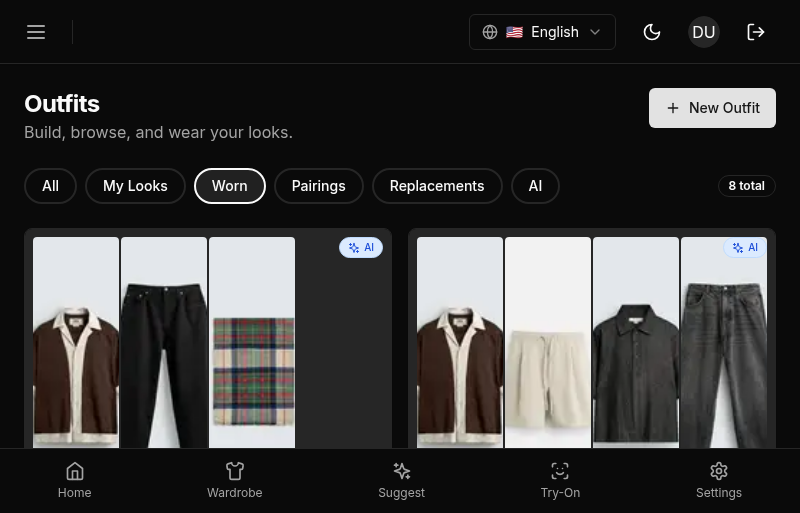
The calendar view is a record of every outfit you’ve worn. It shows what was suggested, what you actually wore, and how you rated it, in a calendar that matches your actual month.
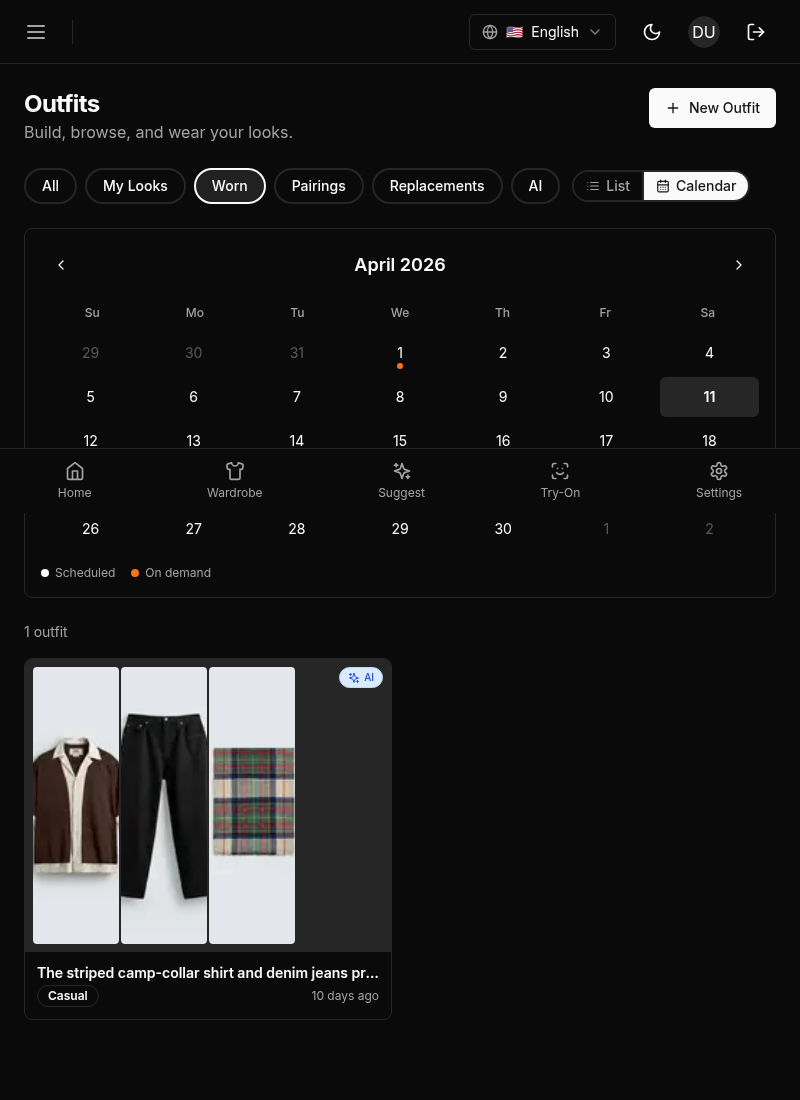
Layout
The Outfits tab in calendar mode has a two-panel layout:
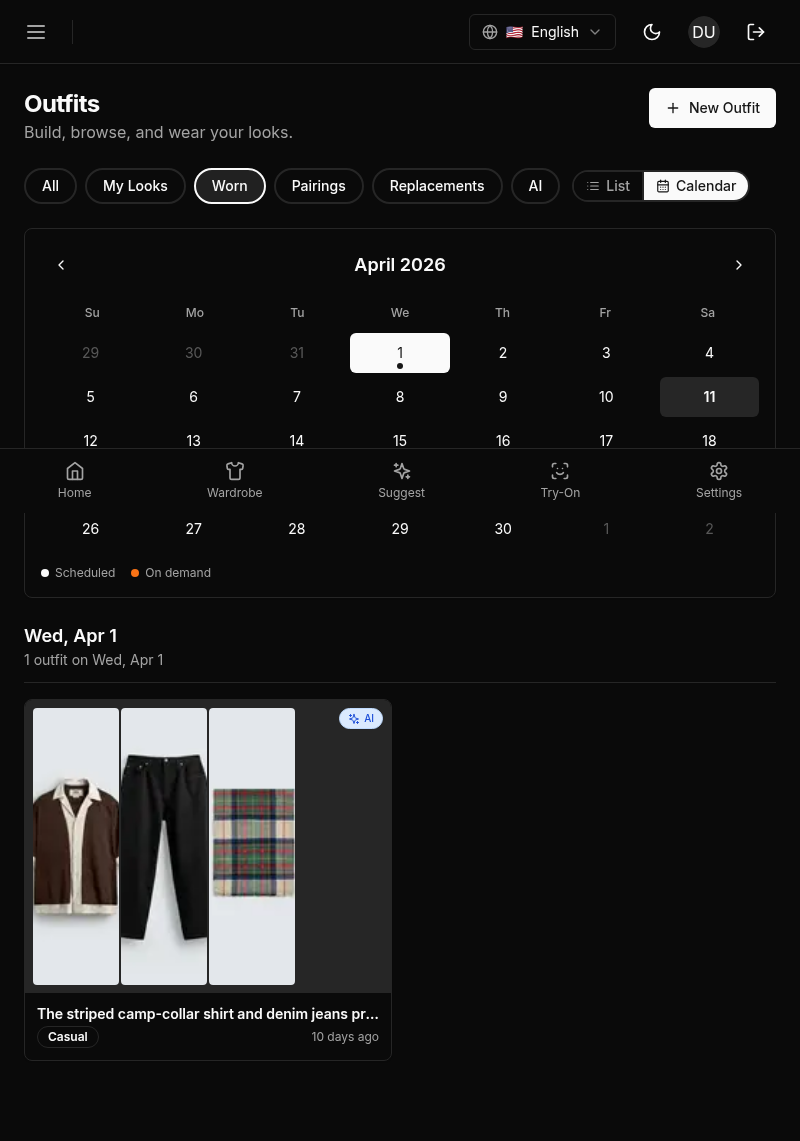
- Left panel: A month calendar. Dates with outfit activity have a dot indicator. Navigate between months using the arrow buttons. Tap a day to filter the right panel to that day.
- Right panel: Outfit cards for the selected date or the full list for the month.
Outfit Cards
Each outfit card shows:
- Occasion badge: The occasion the outfit was generated for (e.g., Casual, Office), color-coded matching the suggestion page.
- Status badge: Accepted, rejected, or wore-instead.
- Items: Thumbnails of the items in the outfit.
- Rating: Star rating if you provided one.
- Wore instead indicator: If you logged different items, a “Wore instead” badge appears with thumbnails of what you actually wore.
Filtering
Use the filter bar above the outfit list to narrow by:
- Occasion: Show only outfits for a specific occasion.
- Status: Show only accepted, rejected, or wore-instead outfits.
- Date range: Filter to a specific period.
Previewing an Outfit
Click any outfit card to expand it. The expanded view shows the full outfit items with their names, the AI’s original reasoning for the suggestion, and the feedback you provided.
Marking as Worn
If you accepted an outfit suggestion but forgot to confirm you wore it, you can mark it as worn from the history card. This logs a wear for each item in the outfit.
Feedback Button
Each outfit card has a feedback button. Click it to open the feedback dialog for that outfit. This lets you add or update a rating and wore-instead selection even days after the outfit was generated.
Mobile: The separate History tab has been replaced by calendar mode inside the unified Outfits tab. The calendar uses a full month grid with larger touch targets. Tap a day to filter to that day.